Action Gate
ActionGate and GeViSoftActionGateGetas.dll form the basis for the easy migration of GeViSoft clients in G-Core systems. They cover various aspects of this conversion: Action Gate is a plugin that was specially developed to simplify the migration. The core of the plugin is a TCP client, improved with the following enhancements:
-
Action transcoding
-
Encrypted connection to the listener in GETAS
GeViSoftActionGateGetas is an extension for GETAS on the GeViSoft side. It includes a TCP listener, which is started from GETAS.
For multiple instantiation, the plugin can provide different parametrization for individual clients. Action transcoding ensures that the GeViSoft actions are mapped to the equivalent G-Core actions and vice versa.
The following architectural diagram describes the use of Action Gate:
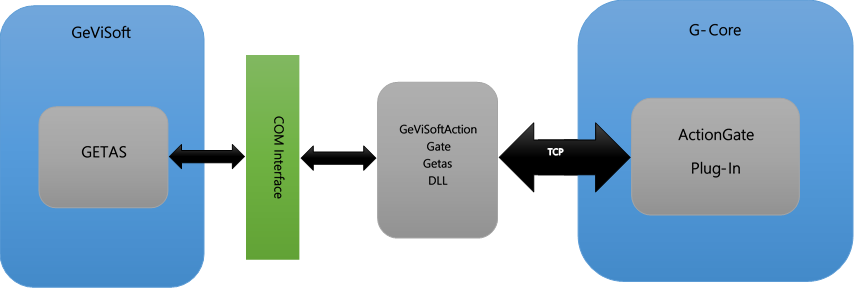
The client then, as usual, sends the character strings with GeViSoft actions, for example CrossSwitch(1, 1, 0) or ClearVideoOutput(1), the Action Gate plugin receives these character strings and translates them to G-Core actions ViewerConnectLive(Viewer: 1, Channel: 1) or: ViewerClear(Viewer: 1). They are then forwarded to the G-Core server.
In the other direction essentially the same procedure occurs: When an action is triggered at the G-Core server, for example SensorVideoAlarm(Channel: 1, …), this is then transcoded into the corresponding GeViSoft action VSAlarmInField(1, 0, A) and sent to the GETAS client.
If there is no equivalent G-Core action for a GeViSoft action, for example MBegLockCamera, then on the G-Core side a general action GeVISoft:MBegLockCamera is generated and the parameters are adopted. Conversely, if no equivalent GeViSoft action exists for a G-Core action, the action is ignored.
Add the Plugin
On the G-Core-side, an instance of Action Gate must be created:
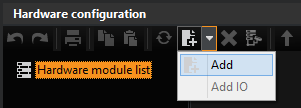
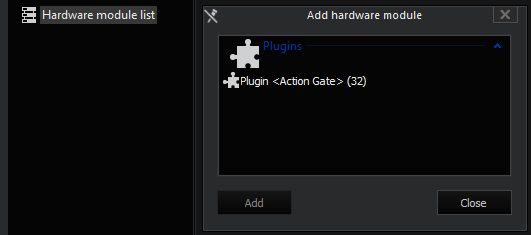
For this purpose, a new module must be created in the hardware configuration. The Plugin <Action Gate> is then selected and confirmed with Add.
Configuration
Connection
The IP address of the host on which the GeViSoft runs and the port of the listener of the GeViSoftActionGateGetas.dll must then be specified.
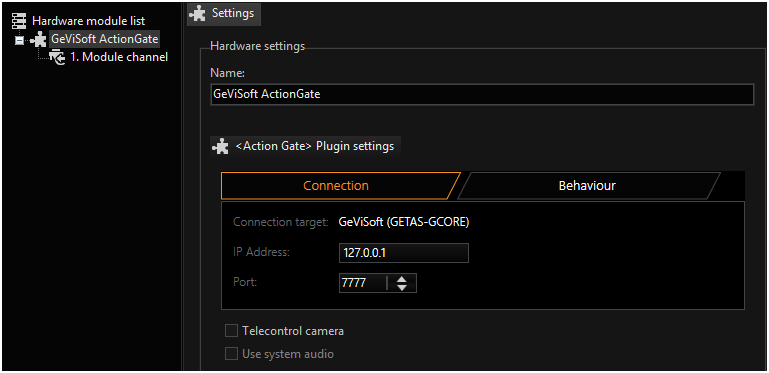
By default the port is set to 7777. It can be changed, as described below.
Filter
The number of actions that are exchanged between GeViSoft and G-Core can be reduced. Filters must be used for this purpose. The filter acts as a whitelist, the actions relate to the G-Core PLC.
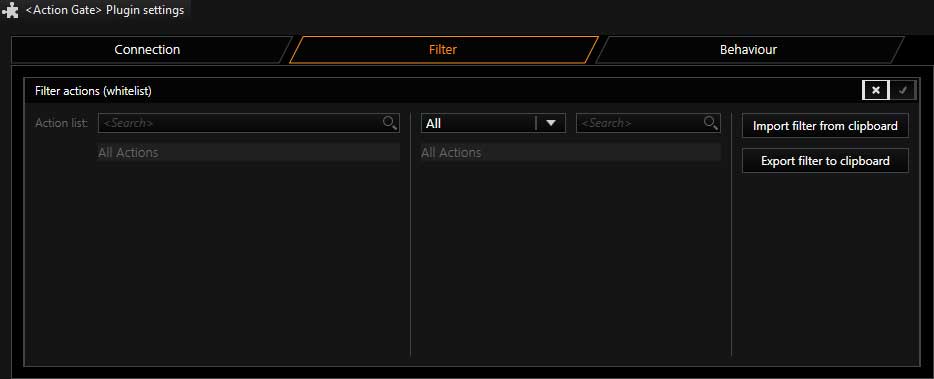
The filter must be activated before it can be configured.
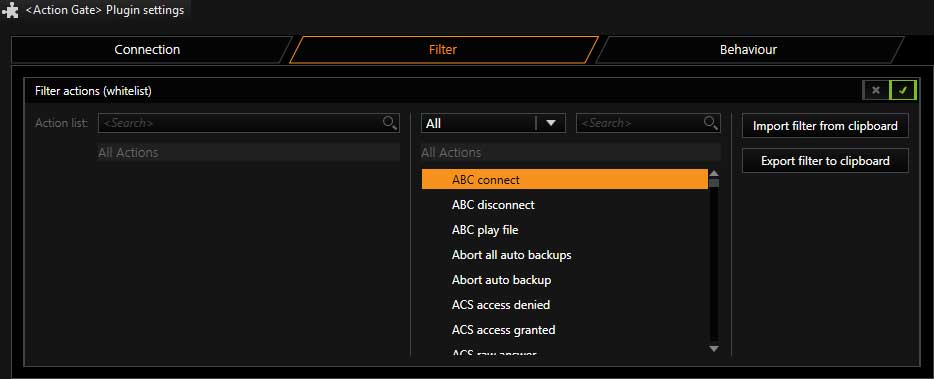
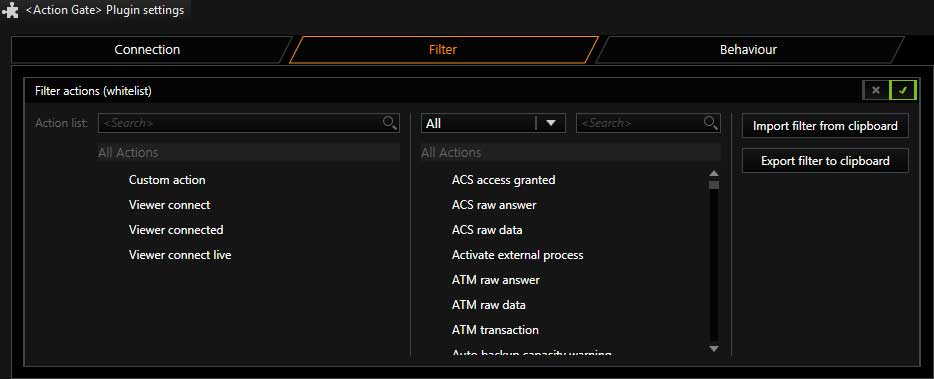
The action items can then be dragged and dropped into the whitelist (left field). By right-clicking on an action item in the whitelist, entries can be removed again.
Using the import/ export function, the filter lists can be exchanged between multiple Action Gate instances.
Behaviour
In the Behaviour tab you can also set what will happen with the actions.
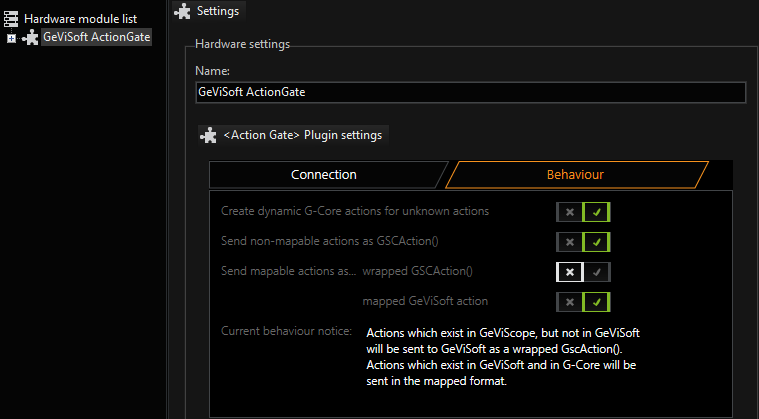
As explained in the introduction, from the GeViSoft action MBegLockCamera on the G-Core side a generic action GeViSoft:MBegLockCamera is generated. This can be activated or deactivated with the first check box.
Because GeViScope can also be connected over GeViSoft servers, the Action Gate can also be parametrized by the second check box so that actions that do not exist in GeViSoft but do exist in GeViScope can be sent as packed GSCAction().
For example, the Barcode Action, if the check box is activated, is sent as packed action:
BarcodeData("Scanner 001", "2015/08/10 16:05:54,584 GMT+02:00", "1234")
GscAction ("",BarcodeData ("Scanner 001", "2015/08/10 16:05:54,584 GMT+02:00","1234"))
How to handle the remaining actions, i.e. actions that exist in GeViSoft and in GeViScope, can be specified using the third and fourth check boxes.
For example, for the CameraTourStart action, you can decide whether it is intended for GeViScope or GeViSoft, as this action is implemented in GeViScope, GeViSoft and G-Core.
-
Action in G-Core:
CameraTourStart (Camera: 1, TourID: 1, TourName: "Tour 001") -
Mapped action for GeViSoft:
CameraTourStart (1, 1, "Tour 001") -
Packed action for GeViScope: GscAction
("",CameraTourStart (1, 1, "Tour 001"))
Description of Changes for GeViSoft GETAS
GeViSoft is shipped from version 5.0.128.3 with GeViSoftActonGateGetas.dll and thus supports migration in G-Scope systems.
If GeViSoftActionGateGetas.dll is in the folder GeViSoft, this DLL is loaded by GETAS and a TCP listener is instantiated for ActionGate connections.
The port 7777 is set as the default in the TCP Listener. If necessary, it can be changed under HKEY_CURRENT_USER\Software\Geutebrueck\GeViSoft\GngMigration\ in the Windows Registry.
IMPORTANT: Use caution with all changes that are made in the Windows Registry. It is extremely important to know what you are doing!
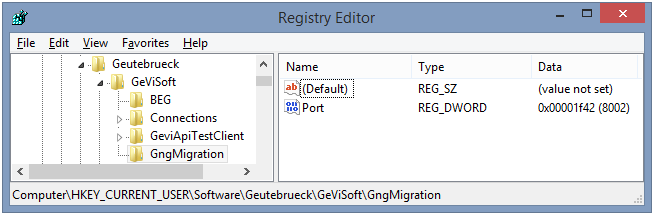
This key must be created manually. The GeViSoft server must then be restarted for the port change to take effect.