Pull of Global Changes
The pull of Global changes retrieves all changes from the event stores of all G-SIM servers in the Global environment on the local server.
Global changes are retrieved:
-
Each time the G-SIM server is started.
-
Every time Users, User Groups, Privilege Groups, User Group Priority or Restrictions are changed.
-
At a defined synchronization interval (see Periodic Pull of Global Changes).
-
By manually pulling global changes (see Manual Pull of Global Changes).
If conflicts occur during the synchronization of Global changes, you must resolve them manually (see Resolve Synchronization Conflicts).
Periodic Pull of Global Changes
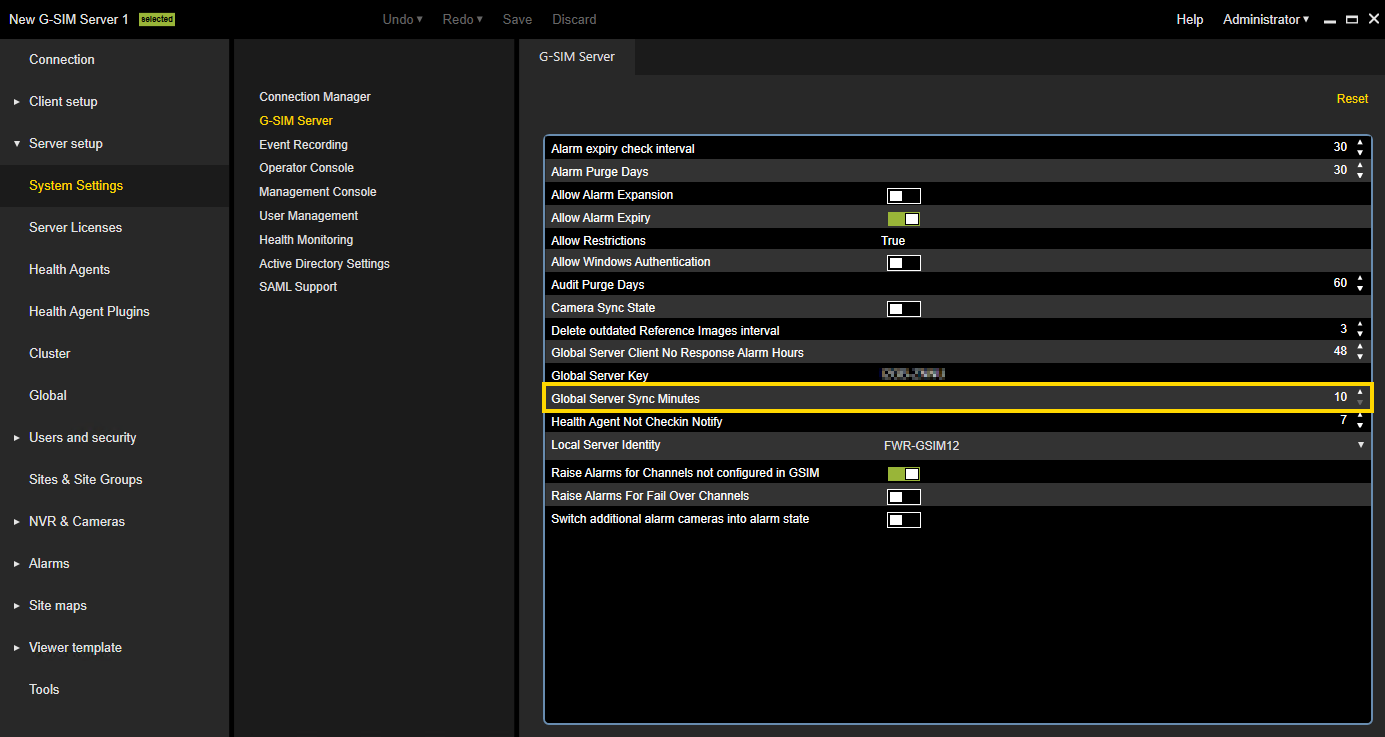
You can set the synchronization interval at which the local Global server performs the synchronization. Navigate to Server setup > System Settings > G-SIM Server and enter the interval in minutes in the Global Server Sync Minutes setting.
The start and end of the periodic synchronization are written to the Windows event log and the G-SIM Audit (see Synchronization Audit).
Manual Pull of Global Changes
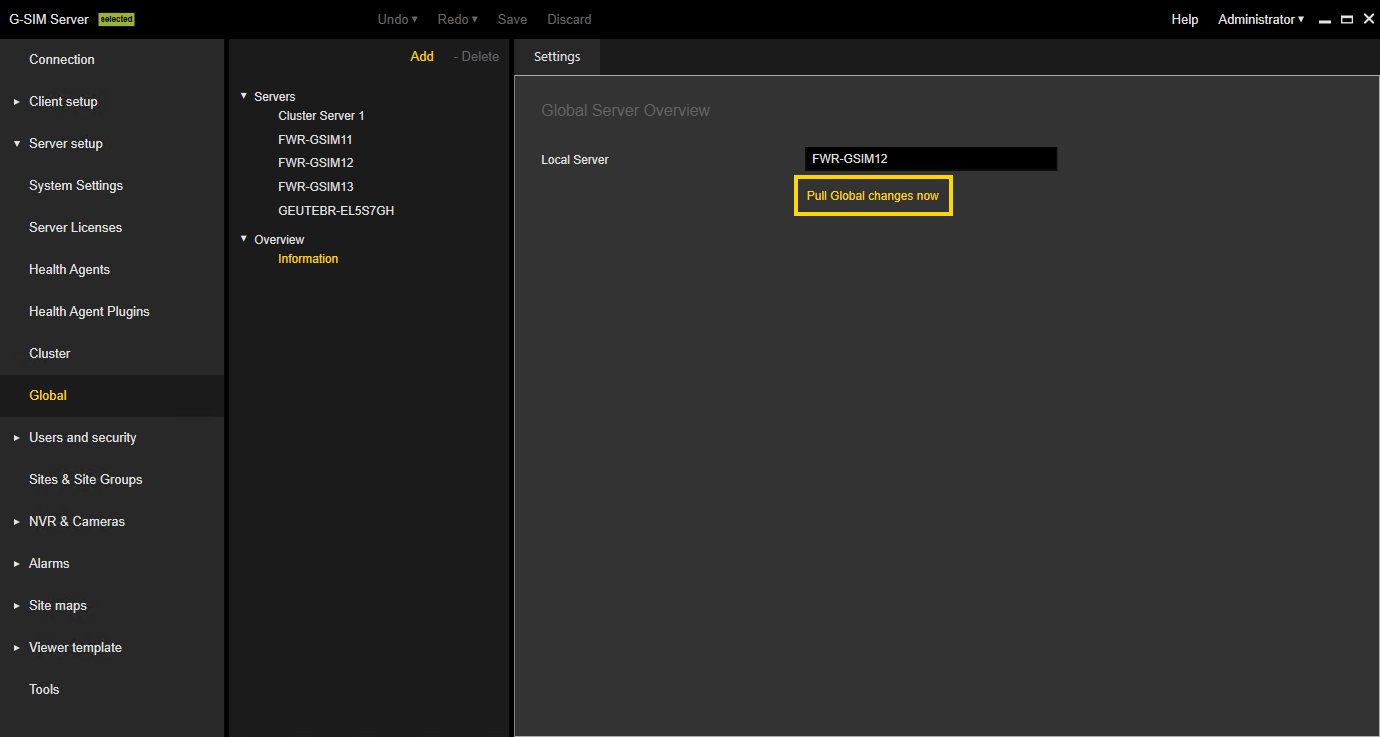
You can manual pull all changes of the Global setup from the event stores of all G-SIM servers in the Global environment on the local server. Navigate to Server setup > Global > Information and click the Pull Global changes now button.
The start and end of the manual pull of Global changes are written to the Windows event log and the G-SIM Audit (see Synchronization Audit).
Resolve Synchronization Conflicts
There may occur conflicts regarding the synchronization of the servers. This happens when a G-SIM server receives changes from two users in the same set of entities. In general, conflicts may result from the following two situations:
-
Multiple ManCon access: Two ManCons are simultaneously connected to the same G-SIM server and two users make changes in the same lists of entities.
-
G-SIM Global: A user has made changes in the setup of one Global G-SIM server while this server has received changes from other Global G-SIM servers via Global synchronization.
Example In this example, the user RemoteUser was changed on another G-SIM server. In this case, the option Keep remote changes must be selected. The user LocalUser was changed on the local G-SIM server. Here, the option Accept local changes must be selected.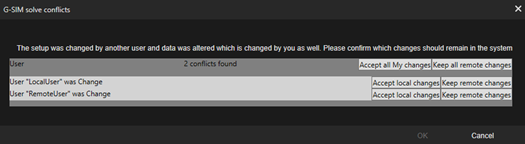
Resolve the conflicts as follows:
-
For entities which were edited by yourself, choose Accept local changes.
-
For entities which were edited by another user, choose Keep remote changes.