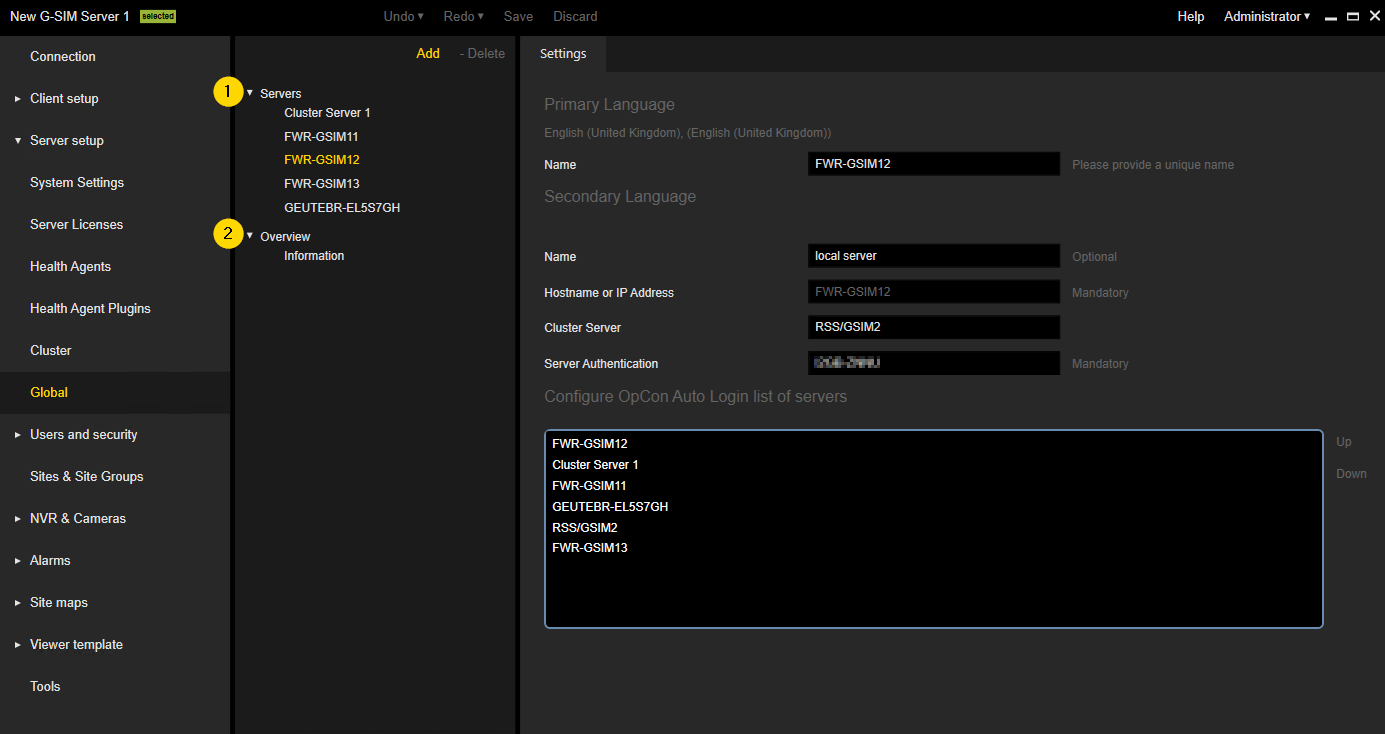
Global
Only available if the Allow Global Server Connections license is enabled (see Allow Global Server Connections).
The Global view contains two items:
-
 Servers: Contains a list of the G-SIM servers that are added to the Global environment.
 -
 Overview: Contains an information view for the Global environment.
Global Server Settings
The Global server settings view is different for server that represent the currently connected G-SIM server and other servers in a Global environment. For both types of servers, the administrator should configure Name, IP Address/Hostname and Server Authentication key.
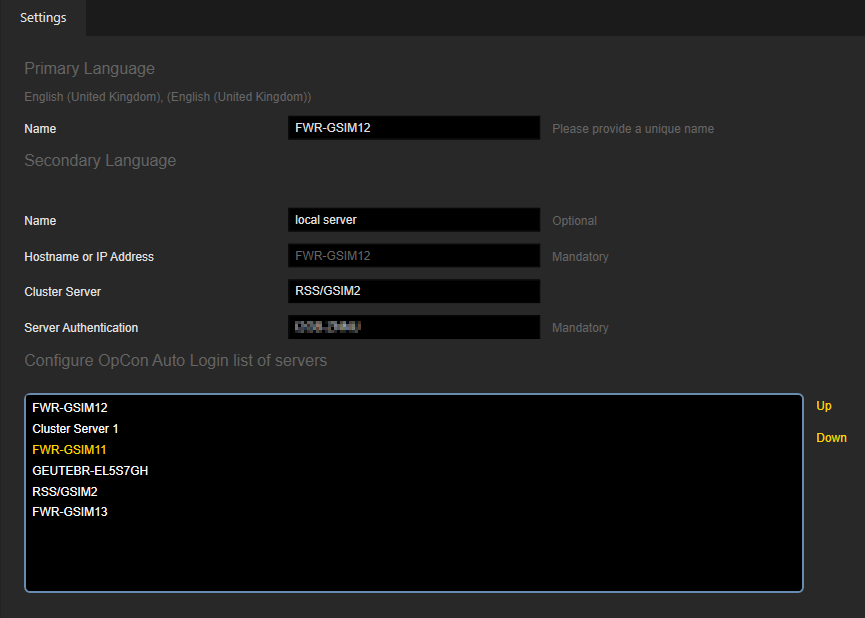
Currently connected G-SIM Server
The administrator can configure the order of the Global servers using the Up and Down buttons. The Operator Console will take the first available G-SIM server from this list in case the local server is down.
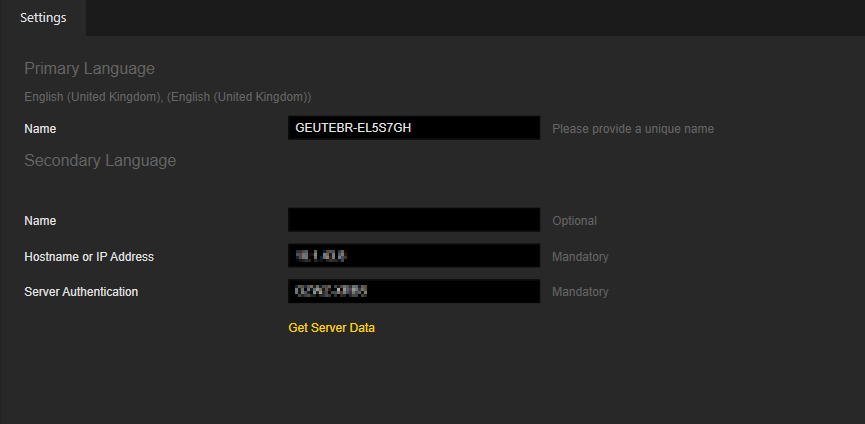
Other G-SIM Servers
The administrator can click the Get Server Data button to retrieve setup form specific server and merge them with the setup of the currently connected G-SIM server.
If a new G-SIM server is added, the administrator is obligated to click the Get Server Data button to complete adding the server to the Global environment.
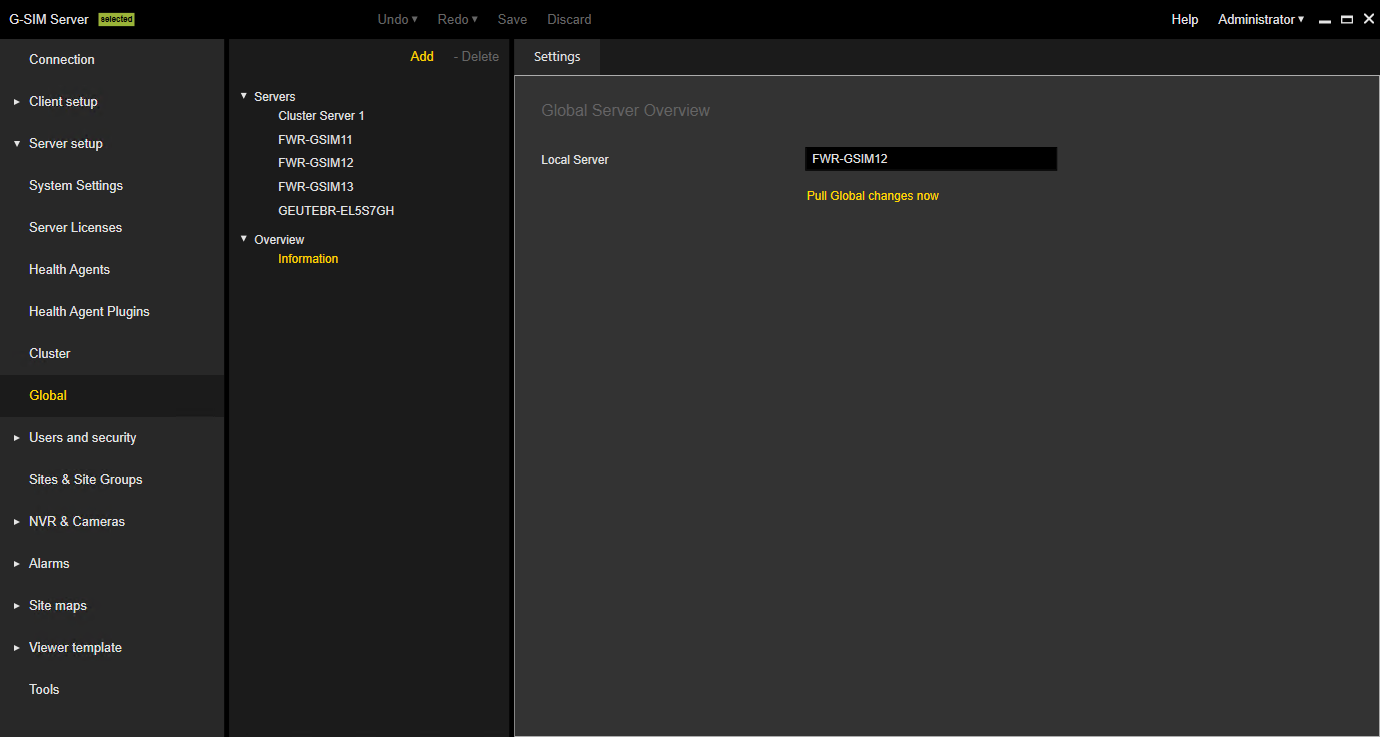
Overview Settings
You can click the Pull Global changes now button to retrieve all changes of the Global setup from the event stores of all G-SIM servers in the Global environment on the local server (see Pull of Global Changes).