Tools
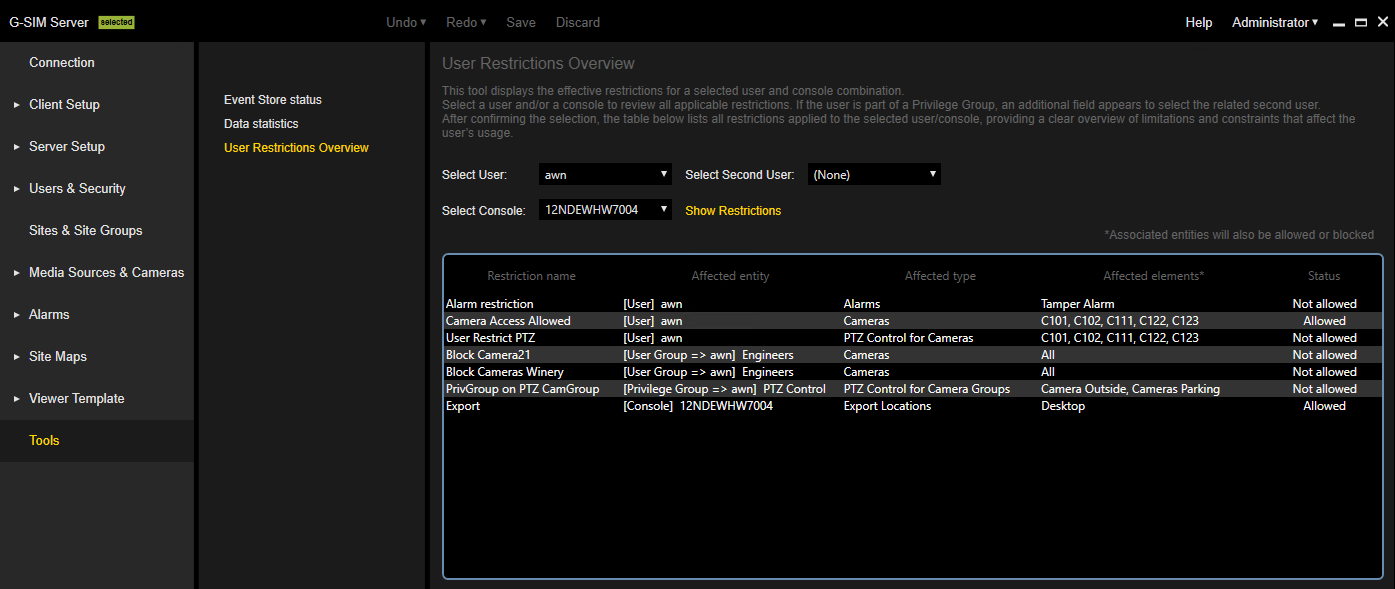
The Tools menu contains the Event Store status, Data statistics and User Restrictions Overview view.
Event Store Status
Only available if the Allow Global Server Connections license is enabled (see Allow Global Server Connections).
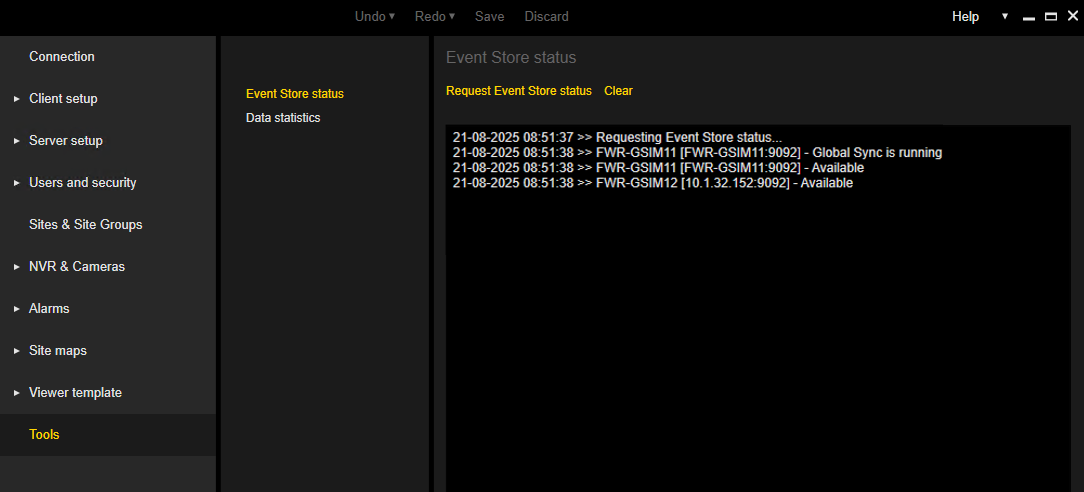
In the Event Store status view, you can request the status of the event stores of all G-SIM servers contained in the Global environment by clicking the Request Event Store status button.
The log contains the status of each event store and information on whether the Global synchronization (see Pull of Global Changes) is currently running for an event store. You can copy the log to the Windows clipboard.
Data Statistics
The Data statistics view shows detailed information about the local G-SIM setup. You can display the number and details of the individual setup types and push the setup to the event store.
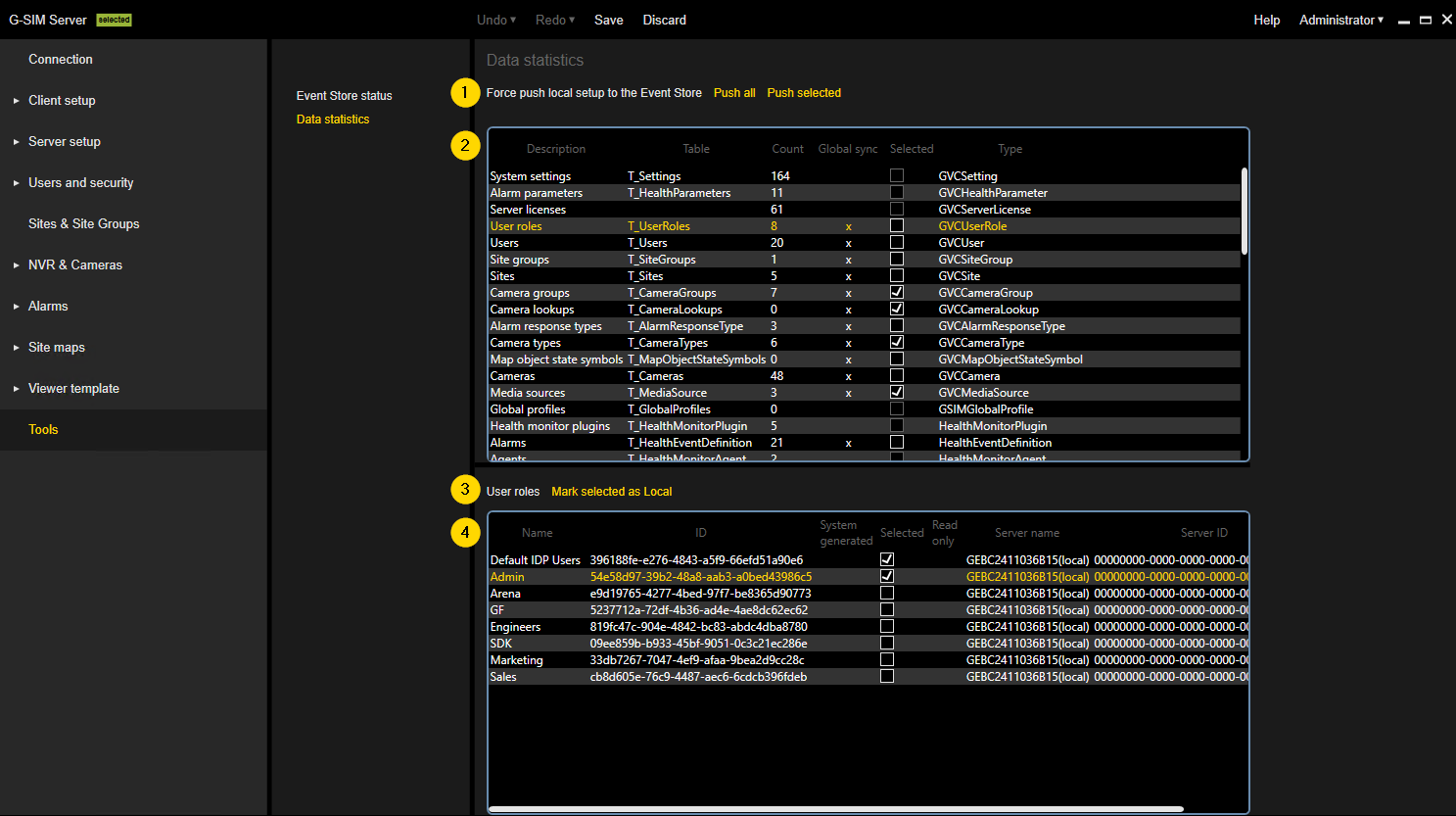
The Force push local setup to the Event Store and Mark selected as Local buttons as well as additional table columns are only available if the Allow Global Server Connections license is enabled (see Allow Global Server Connections).
 Force push local setup to the Event Store:
Click the Push all or Push selected button to force the push of all or selected types of the local setup to the event store (see Force Push of Local Setup).
 Setup types:
The table contains information about the types of the local setup.
|
Information |
Description |
|---|---|
|
Description |
Description of the setup type. |
|
Table |
Name of the database table of the setup type. |
|
Count |
Number of items for the setup type. |
|
Global sync |
Marked with x if items of the setup type are synchronized in the Global environment. |
|
Selected |
Select this checkbox and click the Push selected button to force the push of the selected setup types to the event store (see Force Push of Local Setup). Only possible for setup types that are synchronized globally. |
|
Type |
The internal G-SIM name of the setup type. |
 Mark selected as Local:
Mark the items in the setup type items table as Selected and click the Mark selected as Local button to set the G-SIM server ID of the selected items to the ID of the local server.
 Setup type items:
The table contains information about the items of the selected setup type from the table above. You can copy the items to the Windows clipboard.
|
Information |
Description |
|---|---|
|
Name |
Name of the item. |
|
ID |
G-SIM server ID of the item. |
|
System generated |
Marked with x if the item is system generated. |
|
Selected |
Select this checkbox and click the Mark selected as Local button to set the G-SIM server ID of the selected items to the ID of the local server. |
|
Read only |
Marked with x if the item was created on another G-SIM server. |
|
Server name |
Name of the G-SIM server on which the item was created. |
|
Server ID |
ID of the G-SIM server on which the item was created. |
User Restrictions Overview
In the User Restrictions Overview view, you can review the restrictions applied to a user and/ or a console.
Select a user and/ or a console from the Select User and Select Console drop-down menus. If the selected user belongs to a privilege group, the additional drop-down menu Select Second User appears, from which you can select the related second user. Click the Show Restrictions button to display all restrictions that apply to the selected user and/ or console in the table.